Appendix
IP-Ranges currently used
| Range | Network name |
|---|---|
| 212.211.189.136 - 212.211.189.143 | ID8_NET |
| 212.211.206.240 - 212.211.206.247 | identity-NET |
| 212.211.181.64 - 212.211.181.71 | idvos_NET |
| 212.211.191.96 - 212.211.191.103 | ID8_NET |
Supported browsers
-
Desktop
-
Windows: Edge, Chrome, Opera, Firefox -- latest two versions
-
macOS: Chrome, Opera, Firefox, Safari -- latest two versions
-
-
Mobile
-
Android: Chrome -- latest official version
-
iOS: Safari -- latest official version
-
Technical requirements for Video Ident
-
A supported browser, alternatively mobile apps for Android and iOS can be used
-
Bandwidth: Minimum 0,5 MB/s up/down
-
Camera: Minimum resolution 640 x 480 px
-
Network requirements:
-
Minimum: The minimum requirement is that TCP port 443 is open. Some firewall/proxy rules only allow for SSL traffic over port 443. You will need to make sure that non-web traffic can also pass over this port. TLS1.2
-
Better Experience: In addition to the minimum requirements being met, we also recommend that UDP port 3478 is open. TLS1.2
-
Best Experience: For the best experience possible, we recommend that UDP ports 1025 - 65535 be open. TLS1.2
-
-
WebRTC: Outbound TCP, non-SSL web traffic on port 443 and the following domains must be accessible:
-
*.tokbox.com
-
static.opentok.com
-
enterprise.opentok.com
-
api.opentok.com
-
anvil.opentok.com
-
-
WebSocket: In some situations, WebSocket connections are blocked over port 80. In this case a secure SSL connection using WSS over port 443 should successfully connect. The destinations and ports used by Pusher clients are as follows:
-
*.pusherapp.com on ports 80 and 443
-
*.pusher.com on ports 80 and 443
-
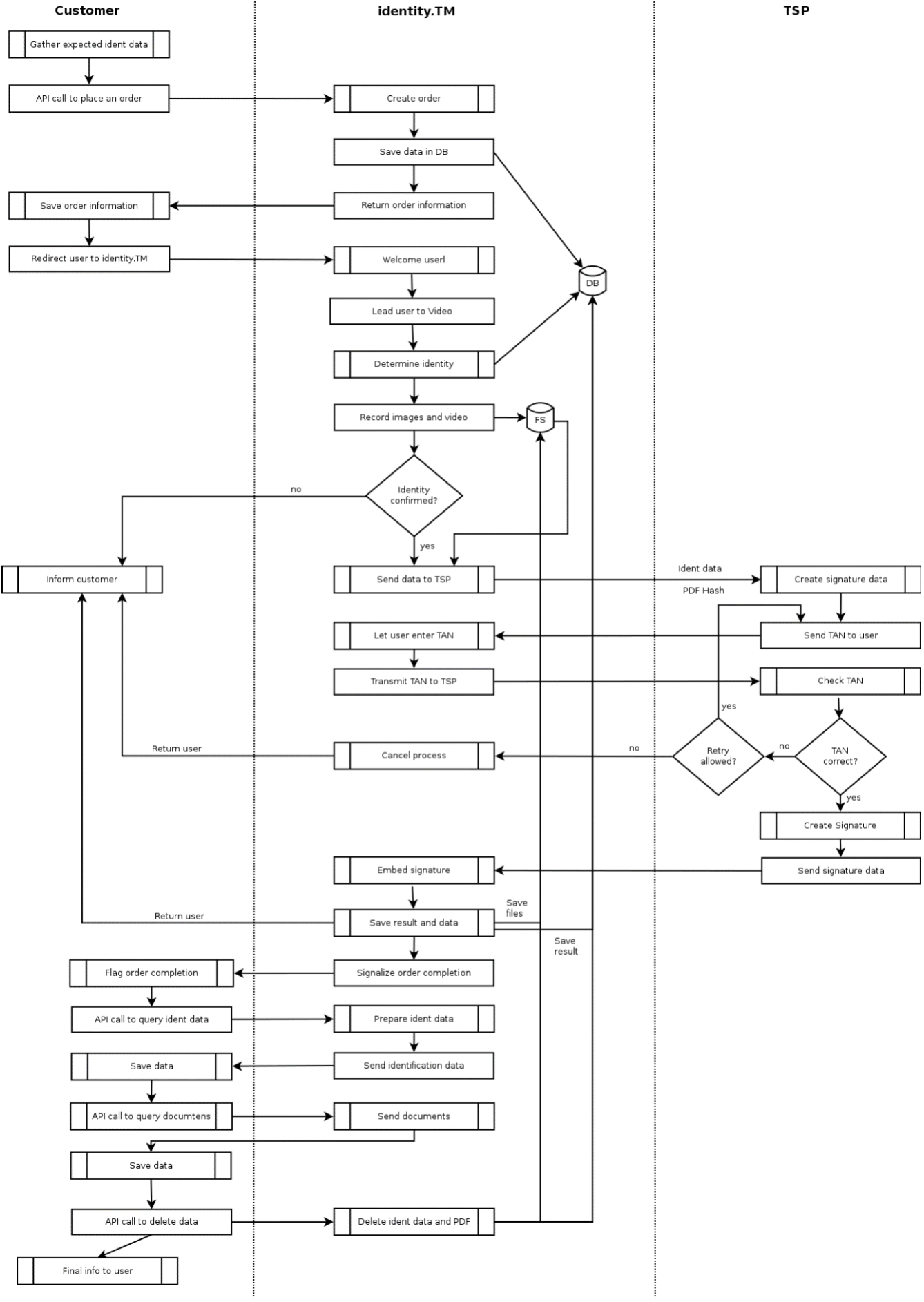
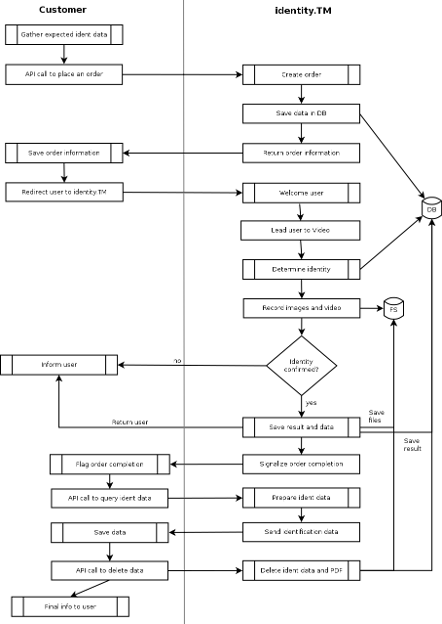
Simplified flow of a video identification
Simplified Video + eSign flow